DemoTag
Always know which persona you are demoing as.
Labels every browser tab with the active demo persona and renames the tab to match. When you are switching between accounts during a live demo, every tab tells you exactly where you are.
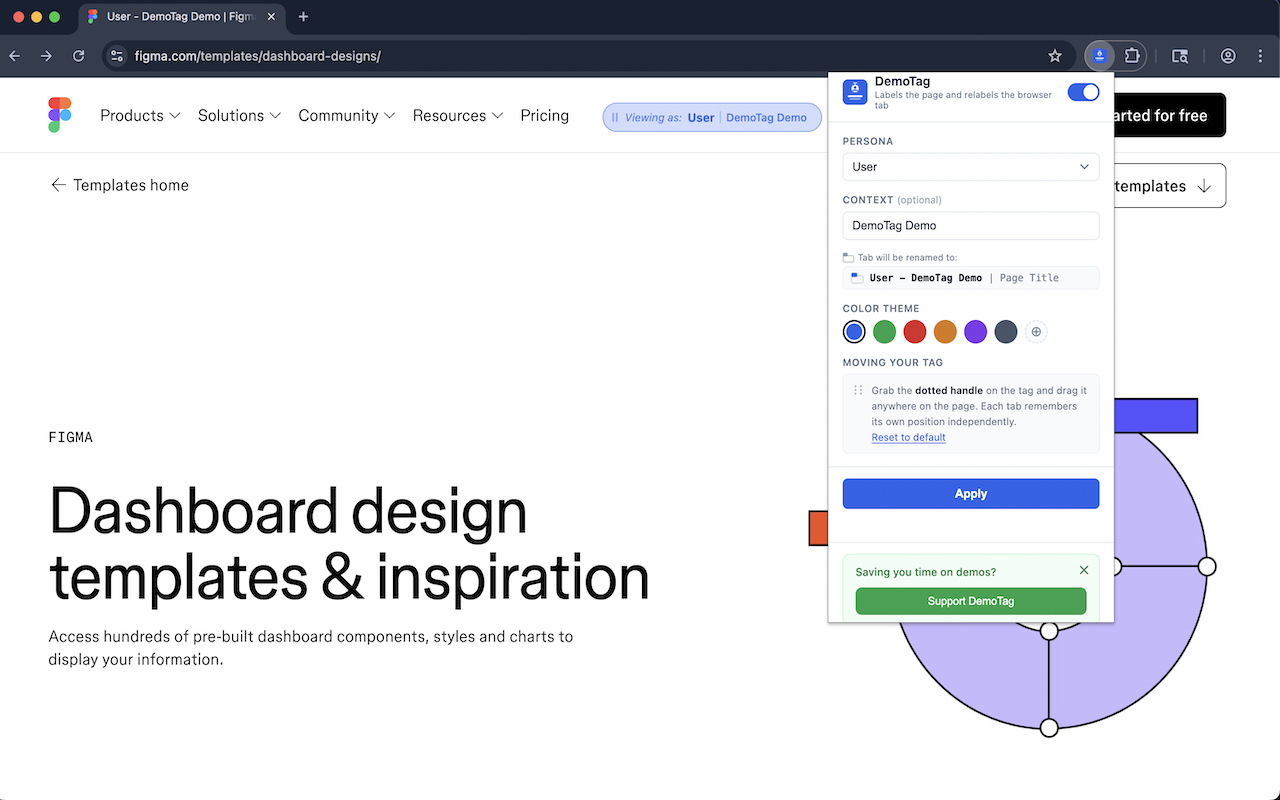
Labels every browser tab with the active demo persona and renames the tab to match. When you are switching between accounts during a live demo, every tab tells you exactly where you are.
During a technical evaluation, you might have an admin account, an end-user account, a sandbox environment, and a production instance open simultaneously. Every tab has the same favicon. Every URL is one character different from the last. Switching environments mid-demo means trusting your short-term memory at exactly the moment you have the least attention to spare.
DemoTag labels every page with the active persona name and renames the browser tab to match. The label is always visible — while you are presenting, while you are switching, while you are talking through a feature. There is no moment where you can be in the wrong account without knowing it.
CSMs running onboarding sessions often switch between admin and end-user accounts to show both sides of a configuration. DemoTag keeps the context visible throughout.
Implementation consultants work across multiple client environments simultaneously. Showing Client A's data to Client B is a data incident. DemoTag makes that impossible to do unknowingly.
Testing across production, staging, and sandbox environments in parallel. Every tab labelled. No more running a test in the wrong environment and wondering why the results look wrong.